
In this guide you will learn:
- What CZ domain auctions are and how they work
- How to register an auction domain with VEDOS
- Frequently Asked Questions
CZ Domain Auctions
The registry places unrenewed domains with the CZ extension into a domain auction: CZ.NIC ⧉ The rules and course of the auctions are entirely the responsibility of the registry. Here is a brief summary from its help ⧉ (as of 1 June 2026):
- Auctions take place in the Domain Browser at domenovyprohlizec.cz/cs/aukce-domen/ ⧉.
- The subject of the auction is the priority right to register the domain, not the domain itself.
- To take part in an auction, you need a sufficiently verified MojeID account.
- Auction domains are published in a preliminary list 15 days before the auction starts. The auction process ends with the registration of the domain by the auction winner, or with its release for regular registration if there is no interest.
- The auction winner has 7 days to pay for the priority right to register the domain, and then 14 days for the registration itself.
Registering an Auction Domain with VEDOS
The easiest way to register a domain won in an auction with VEDOS is to fill in the form at vedos.cz/domeny/cz/aukce-domen ⧉. It pre-fills the following into a regular order:
- The name of the domain being registered
- The MojeID identifier that won the domain in the auction
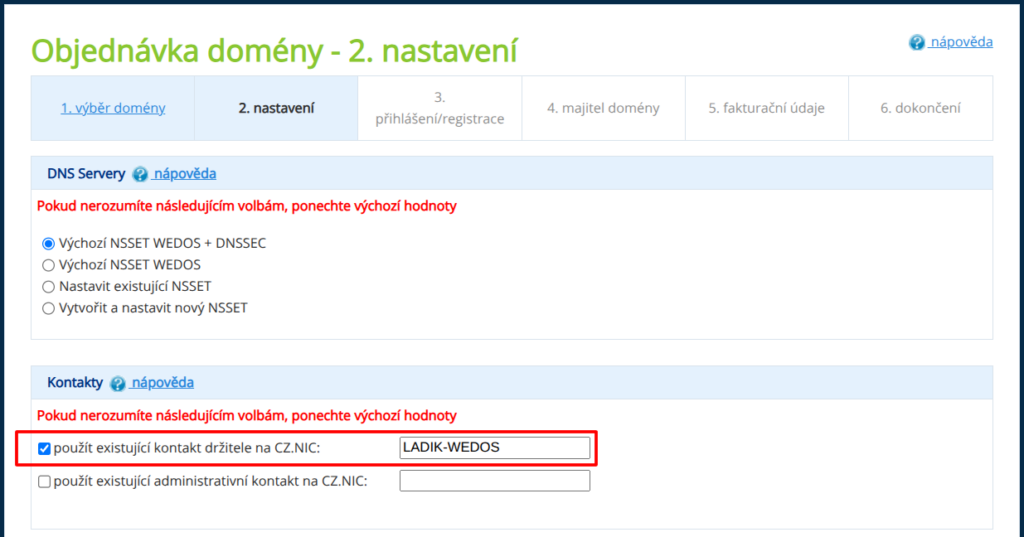
Alternatively, you can register the domain using the regular procedure described in the guide Domains – Registration, and enter the following details:
- Step 1 – Domain name: The name of the domain being registered
- Step 2 – use an existing holder contact at CZ.NIC: The MojeID identifier that won the domain in the auction
Frequently Asked Questions
Can I arrange to buy a domain before its auction?
Yes, the owner of a CZ domain can be changed up to 60 days after expiration. However, we do not provide the domain owner’s contact details or mediate any business communication.