
In this article you will learn:
- How does the Hosting WP service backup work?
- How to restore files and a database from a backup
- Frequently Asked Questions
Backing Up the Hosting WP Service
We automatically back up both the files and databases of the Hosting WP service, both locally to a different disk and to a different server in a different rack. The frequency of automatic backups depends on the plan:
- Business: 1 time per day
- NoLimit: 1 time per week
- LowCost: 1/month
These automatic backups are primarily intended for internal use, but if the website goes down due to a problematic update, you can request a restore.
Manual backups
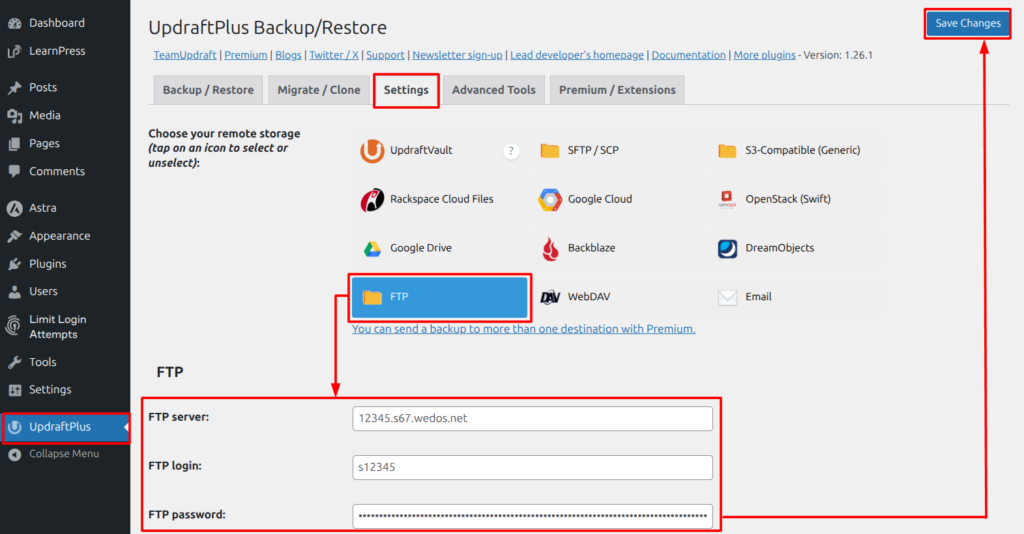
Currently, Hosting WP can only be backed up manually using a WordPress plugin.
Do not store backups created by the plugin on the web server! Back up your data to your own device (computer, external drive), or use a backup service such as VEDOS Disk ⧉.
Restore from backup
Support is currently handling the backup restoration. Please follow these steps to request it:
- Open the contact form ⧉.
- If you are not logged in to the form, please log in to the account that contains the service for which you want to restore the backup.
- Fill out the request to restore from a backup.
Please include the following in the message body:
- name (domain) or service number;
- the most accurate date and time when the website was damaged. In response to the email sent via the form, a technician will let you know the date and time of the available backup.
Restoring your WP Hosting account from a backup is free. The typical response time is within 1 business day.
Frequently Asked Questions
How can I restore my website from a backup right away?
We are currently working on a "Restore from Backup" button in the customer dashboard. Until this feature is available, the quickest way to request a backup is to follow the procedure described in the " Restore from Backup" section.
I have a manual backup via a plugin, but the website is so broken that I can't access the plugin. What should I do?
If the manual backup is stored elsewhere—for example, on your computer or on the Disk ⧉ service—you can reset the Hosting WP service, install the same backup plugin, and perform a restore.