
This article explains where to find your previous chats and emails with customer support in the Customer Administration. To learn how to contact Support, see the article Getting Started – Support.
In this article you will learn:
- How to view your chat history with Support
- How to view your email history with Support
- Frequently Asked Questions
Support chat history
To view your chat history with customer support, follow these steps:
- Log in to the Customer Administration ⧉.
- In the top menu, select My account Customer.
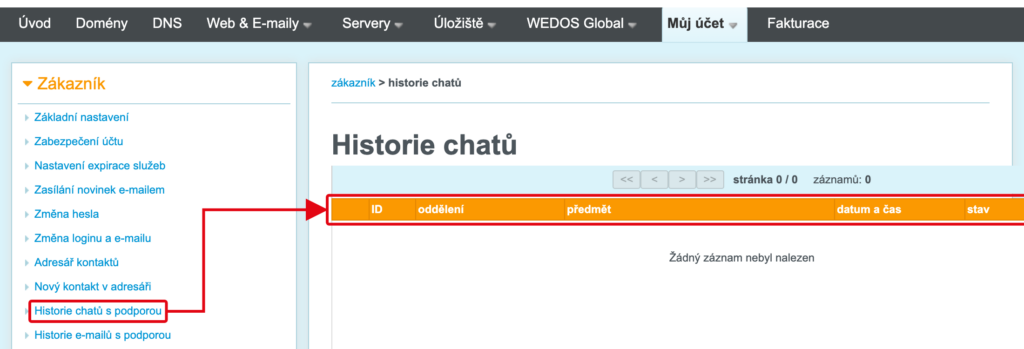
- In the left menu, select Support chat history.
A list of your chats with Support will appear. For each chat you will see the ID, Department, Subject, Date and time and Status. Use the arrows above the list to page through a longer list.
Support email history
To view your email communication with customer support, follow these steps:
- Log in to the Customer Administration ⧉.
- In the top menu, select My account Customer.
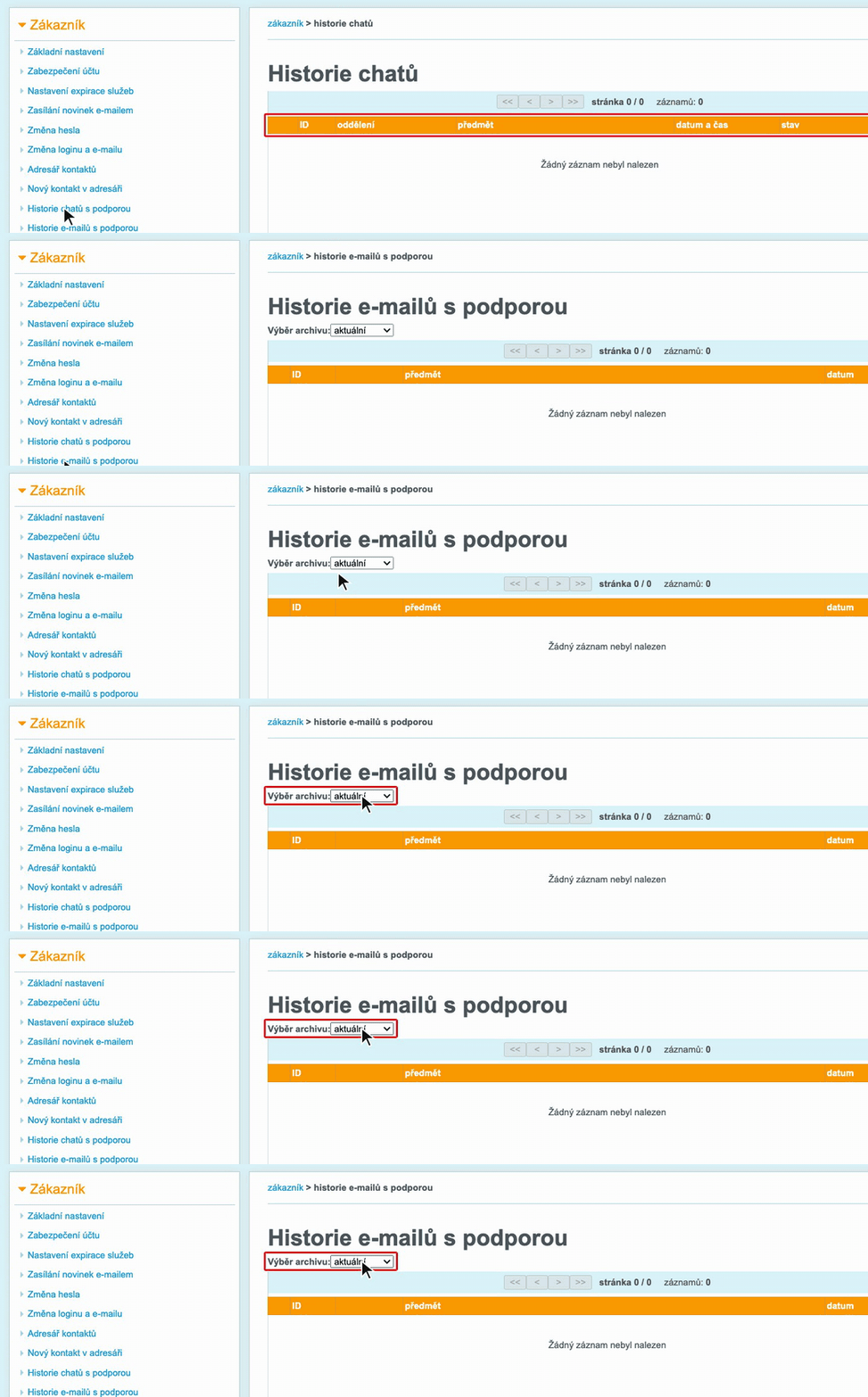
- In the left menu, select Support email history.
- To view older emails, select the year in the field Archive selection.
For each email in the list you will see the ID, Subject and Date.
Frequently Asked Questions
Where can I find older email communication with Support?
In the support email history, select in the field Archive selection the year you need emails from. By default, the current archive is shown.
How do I contact customer support?
You can find all contact options in the article Getting Started – Support.